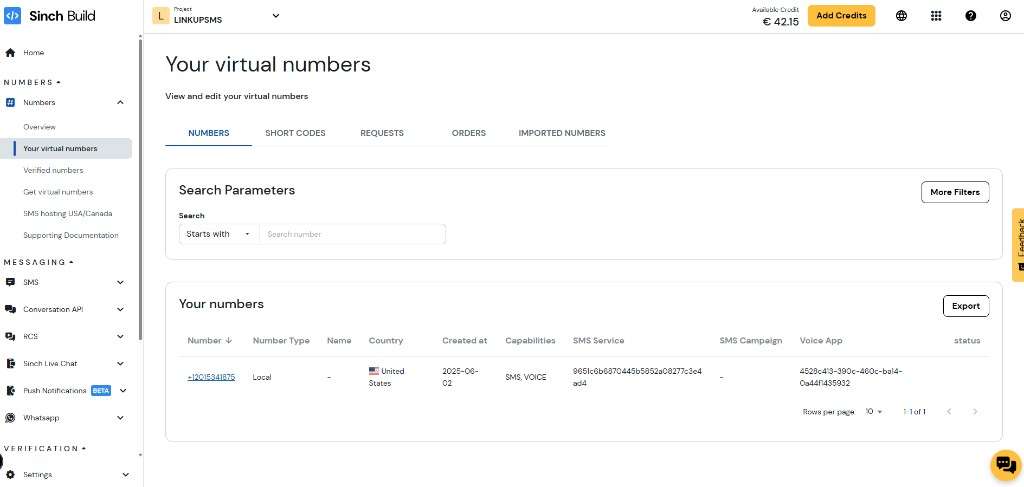
Setup Guide for Sinch SMS
This guide describes how to configure Sinch SMS for Acrobits Linkup Messaging.
Service API Setup
- Log in to the Sinch dashboard.
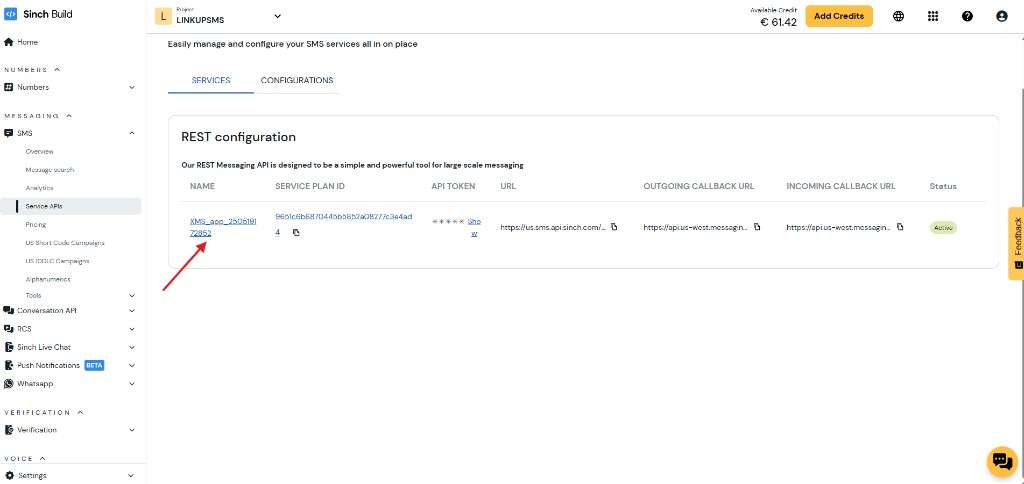
- In the left menu, go to Messaging > SMS > Service APIs.
- Click your Service Plan to open its configuration screen.
Retrieve Authentication Information
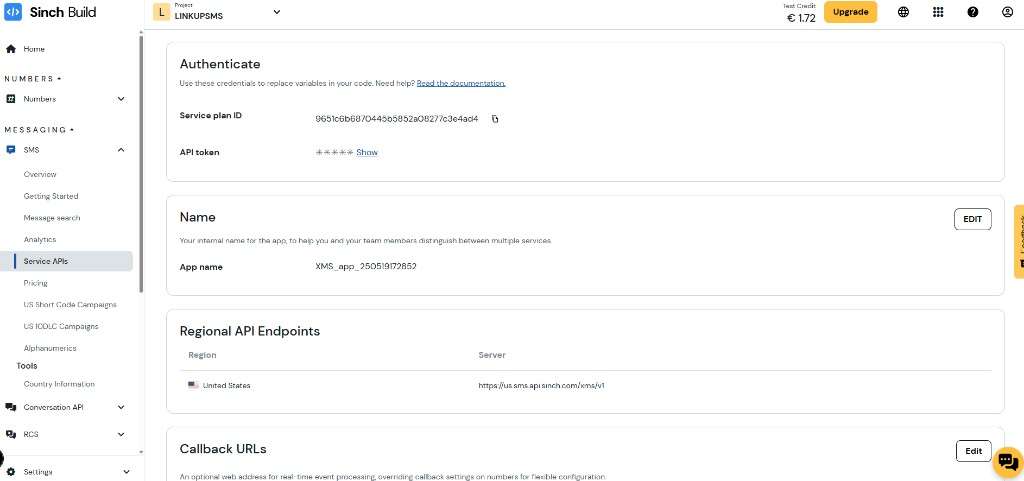
Copy the following values from the Service Plan configuration:
- Service Plan ID
- API token
- API endpoint region, for example, United States or Europe
Send the API token securely. For example, you can use One-Time Secret.
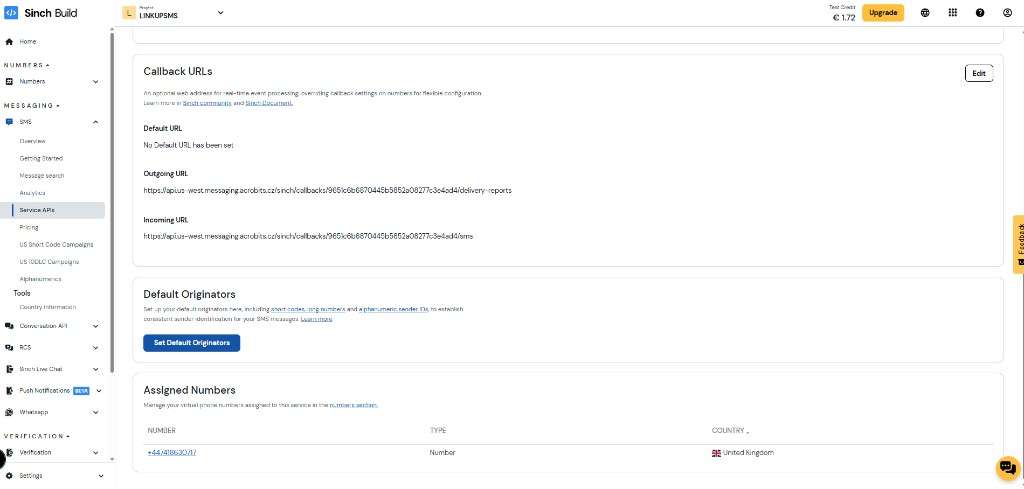
Configure Callback URLs
- Create a secure 32-character alphanumeric callback password without special characters.
-
Replace the placeholders
-
Replace
{servicePlanId}with the real Service Plan ID from the Sinch dashboard. -
Replace
YOUR_PASSWORDwith the callback password.In the following URLs: - Incoming Callback URL
```text https://api-us.messaging.acrobits.cz/sinch/callbacks/{servicePlanId}/incoming-message?callbackPassword=YOUR_PASSWORD ``` -
Outgoing Callback URL
```text https://api-us.messaging.acrobits.cz/sinch/callbacks/{servicePlanId}/message-status-update?callbackPassword=YOUR_PASSWORD ``` -
Configure both callback URLs in the Sinch Service Plan.
- Use the same callback password for both callback URLs.
If you require Basic Authentication instead of the callback password query parameter, submit a request to Sinch support. Acrobits supports both authentication methods.
Provide Configuration to Acrobits
Send the following information securely to Acrobits Support:
- Service Plan ID
- API token
- API endpoint region
- Callback password, either from the URL query parameter or Basic Authentication
- Callback user, required only if Sinch configures Basic Authentication for your callbacks
For 10DLC registration, also provide the following welcome message information:
- Brand
- Contact number
- Contact email
- Other contact information, such as a website
Assign Virtual Numbers
In the Numbers section of Sinch:
- Provision the required virtual numbers.
- Assign the virtual numbers to the configured Service Plan.