Setup Guide for Bandwidth SMS
This guide describes how to configure Bandwidth SMS for Acrobits Linkup Messaging.
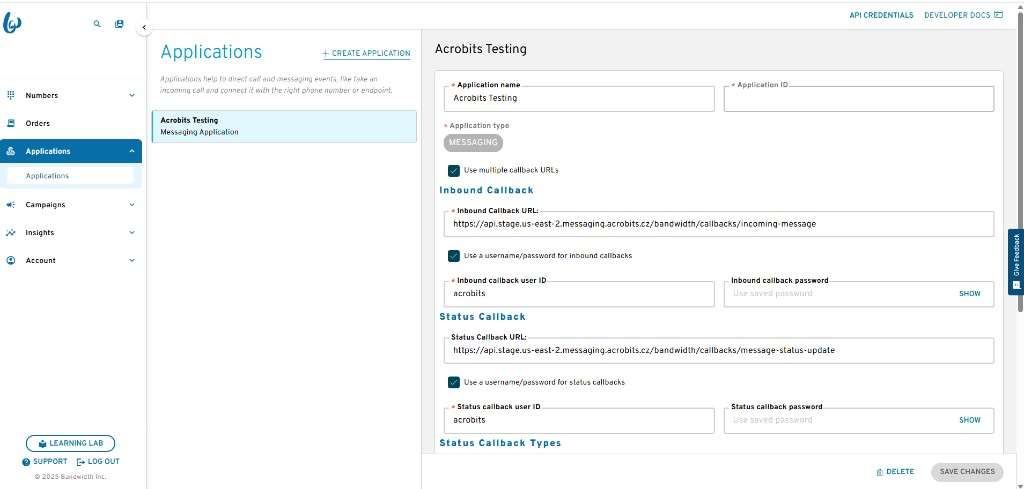
1. Bandwidth Application Setup
- Log in to your Bandwidth account.
- Create a new application and give it a meaningful name.
- Bandwidth assigns the Application ID automatically.
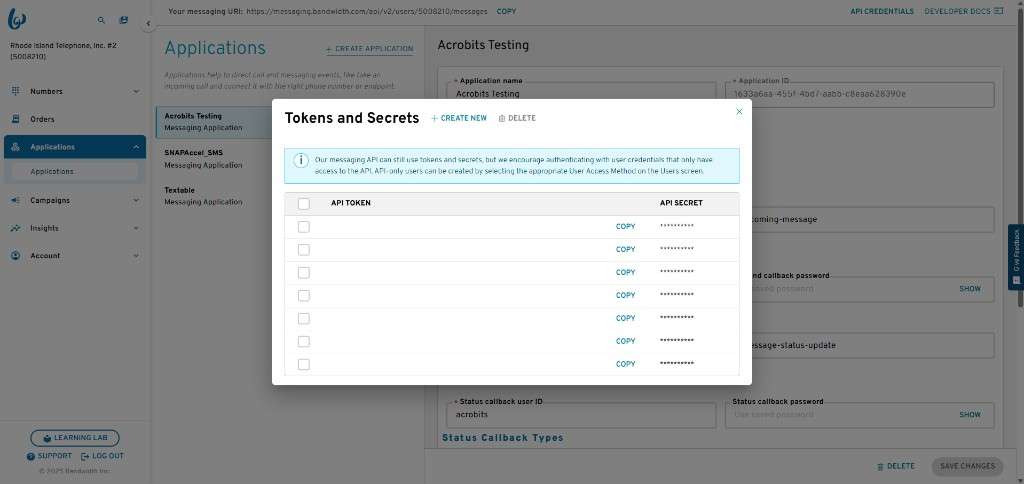
2. API Credentials Creation
- Click API Credentials.
- Generate new credentials to get the API token and API secret.
- Save the secret immediately. Bandwidth will not show it again.
3. Configure Callback URLs
- Enable Use multiple callback URLs.
-
Provide both callback URLs:
-
Inbound Callback URL
-
Status Callback URL
-
Replace
{bandwidthApplicationId}with the real Application ID from the Bandwidth dashboard. - Enable username/password authentication for both callbacks.
- Use the same callback user ID for the inbound and status callbacks.
- Use the same callback password for the inbound and status callbacks.
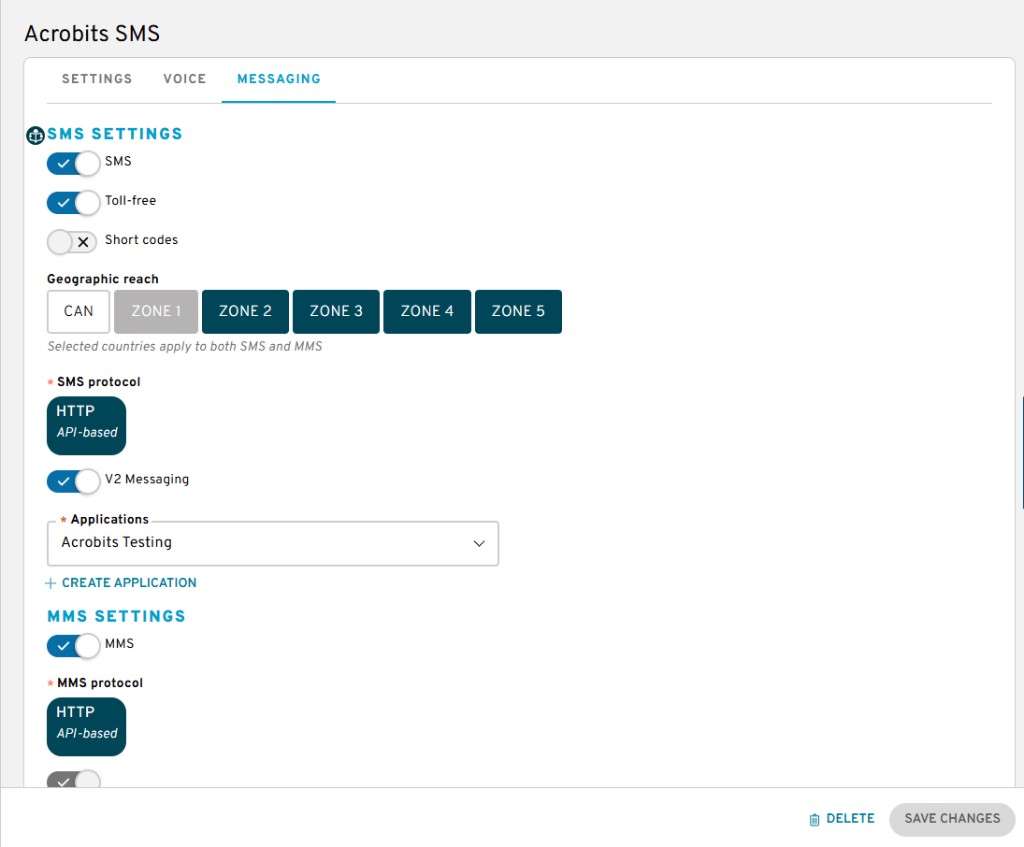
4. Location Setup
- Create a new Location in Bandwidth.
- On the Messaging tab, enable SMS using the HTTP API, Version 2.
- Choose the appropriate geographic reach, for example Zone 1 for the United States or Zone 5 for Europe.
- Associate at least one phone number per user. These numbers are used for sending and receiving SMS.
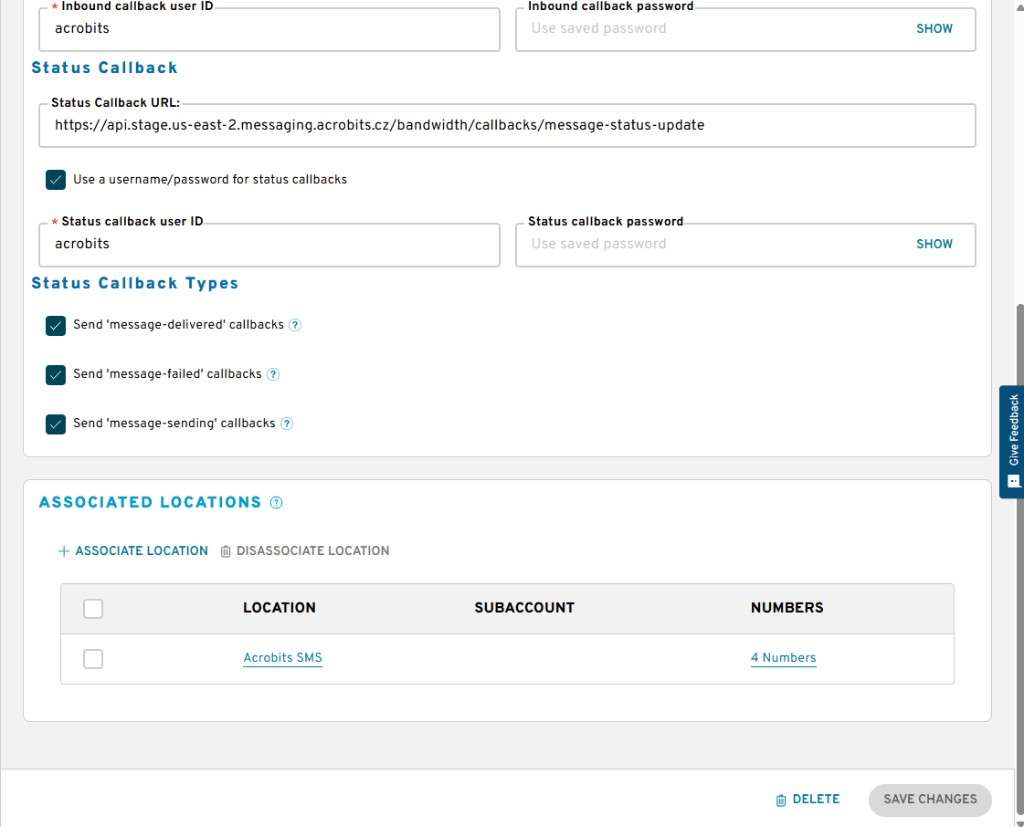
5. Associate the Location with the Application
Return to the application settings and associate the newly created Location with the Bandwidth application.
6. Gather Required Credentials
Collect the following values:
- Bandwidth API token and API secret
- Callback user ID and password
- Bandwidth account ID
- Bandwidth Application ID
7. Prepare Test Accounts
Create Netsapiens test accounts, or provide existing accounts that Acrobits can use for testing.
8. Assign SMS Numbers to Test Accounts
Assign the newly allocated SMS numbers to the test accounts in the Metaswitch or Netsapiens portal.
If the test Metaswitch or Netsapiens accounts already have SMS numbers assigned, go to the Bandwidth dashboard and add those SMS numbers to the Location of the test Bandwidth application.